Deploying a Multi-Environment Application with Argo CD🦑and Helm: A Complete GitOps🔄Guide
I build scalable, resilient systems using cloud-native automation—turning code into production-grade infra with Kubernetes, Docker, Terraform, and CI/CD pipelines. Hands-on with real-world labs, I deploy event-driven, observable, and secure workloads on GCP & AWS, optimizing for performance, cost, and developer experience. Driven by clear thinking, continuous learning, and impact-first engineering, I collaborate to ship systems that don’t just work—they evolve.
GitOps has evolved from a niche concept to the cornerstone of modern Kubernetes delivery. This comprehensive guide details the deployment and management of a multi-environment microservice (Dev, QA, Prod) using Argo CD and Helm, with a sample Leaderboard application as the focal point. It covers the handling of configuration drift, resolution of production issues, and the implementation of the App of Apps pattern for scalable and declarative management.
📘 What This Guide Covers
How Argo CD Applications are created and managed
Using Helm with environment-specific values
Detecting and fixing configuration drift
Understanding and applying the App of Apps pattern
Resolving real-world production issues
Following GitOps best practices end-to-end
📂 Repository Structure
🔗 GitHub Repository
You can explore the complete implementation of this setup, including Helm charts, environment values, and Argo CD Application manifests here:
GitHub: https://github.com/barbaria888/argo-cd-leaderboard-app
🏅 Author Achievement
This project also contributed to earning Akuity Understanding Gitops with ArgoCD badge
A clear structure is at the heart of good GitOps. The repository is organized into Application manifests and Helm charts:
📦 argo-cd-leaderboard-app/
├── apps/
│   ├── leaderboard-dev.yaml
│   ├── leaderboard-qa.yaml
│   └── leaderboard-prod.yaml
│
└── charts/
    └── leaderboard/
        ├── Chart.yaml
        ├── templates/
        ├── values.yaml
        ├── values-dev.yaml
        ├── values-qa.yaml
        └── values-prod.yaml
Each environment has its own values file, ensuring clean, controlled differences across Dev, QA, and Production.
Part 1 — Deploying the First Application
Accessing the Argo CD UI
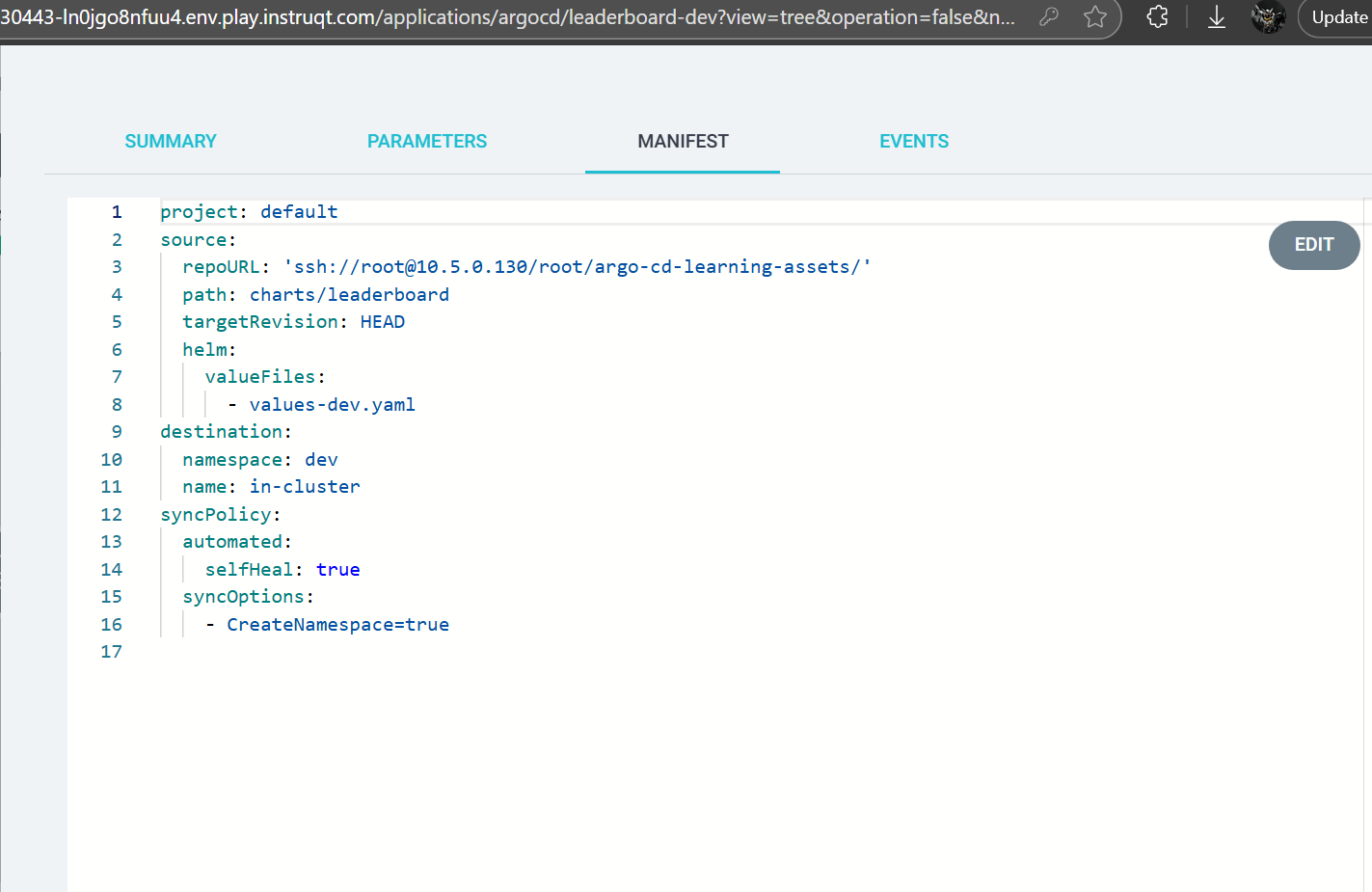
The user logs into Argo CD, selects NEW APP, switches to the YAML editor, and pastes the leaderboard-dev Application manifest.
This manifest declares:
The repository location
Chart path
Values file (
values-dev.yaml)Destination namespace (
dev)Sync options such as automated namespace creation
First Sync
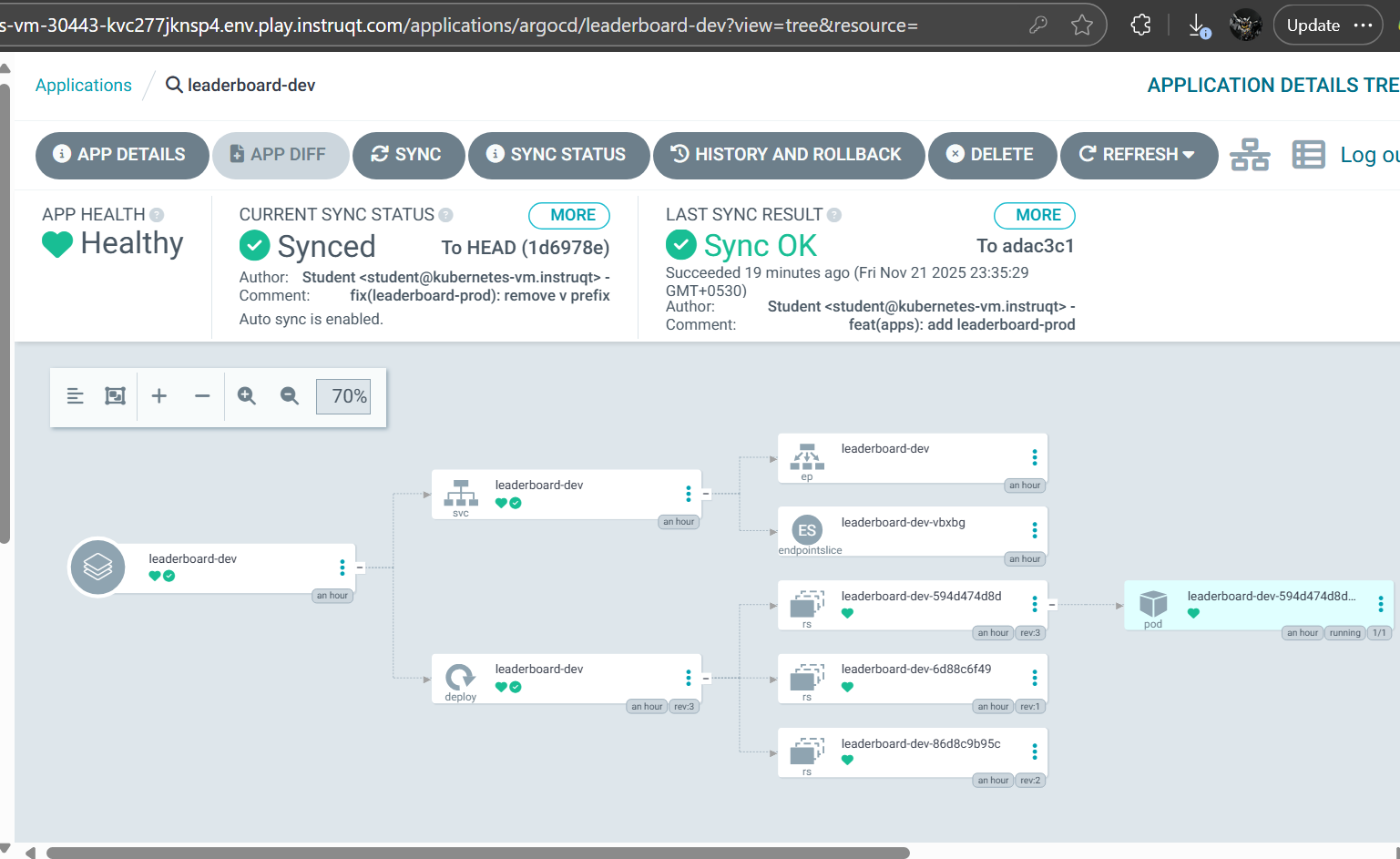
After clicking CREATE, the Application appears as Missing and OutOfSync. A manual SYNC triggers Kubernetes to create Deployments, ReplicaSets, Pods, Services, and Endpoints. Once the Pod becomes Ready, the entire tree turns green.
Part 2 — Detecting and Understanding Drift
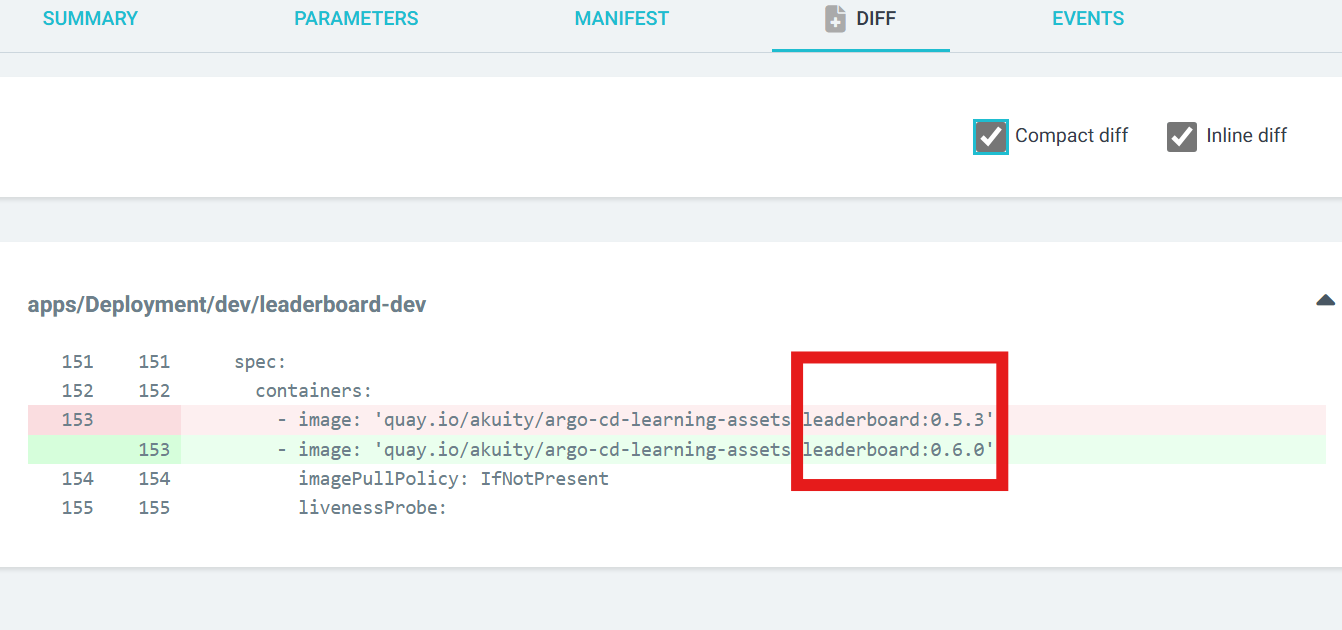
Configuration drift begins the moment Git changes but the cluster does not. When the image tag changes in Git, Argo CD detects the mismatch and marks the Deployment as OutOfSync, represented with a yellow icon.
Using the APP DIFF feature, differences become crystal clear—especially when filtering with:
Compact diff
Inline diff
This narrow view highlights only what's changed, such as an updated image tag.
Part 3 — Handling Suspended Deployments
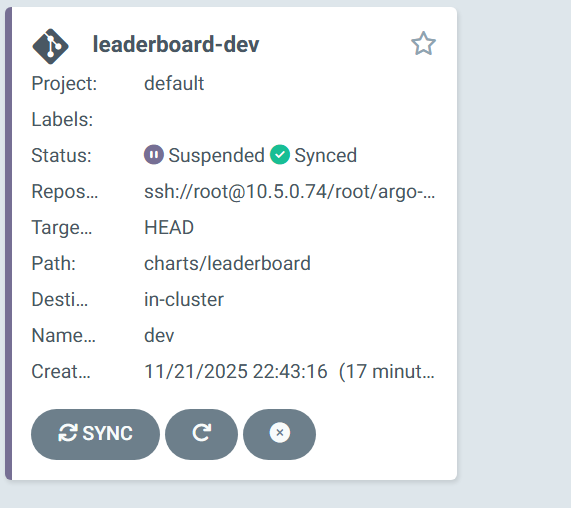
Sometimes manual interventions happen. For example, imagine someone pauses a Deployment rollout directly in the cluster. Argo CD immediately reflects this by showing the Application as Suspended.
To resume:
Open the Deployment resource
Click the three-dot menu
Select Resume
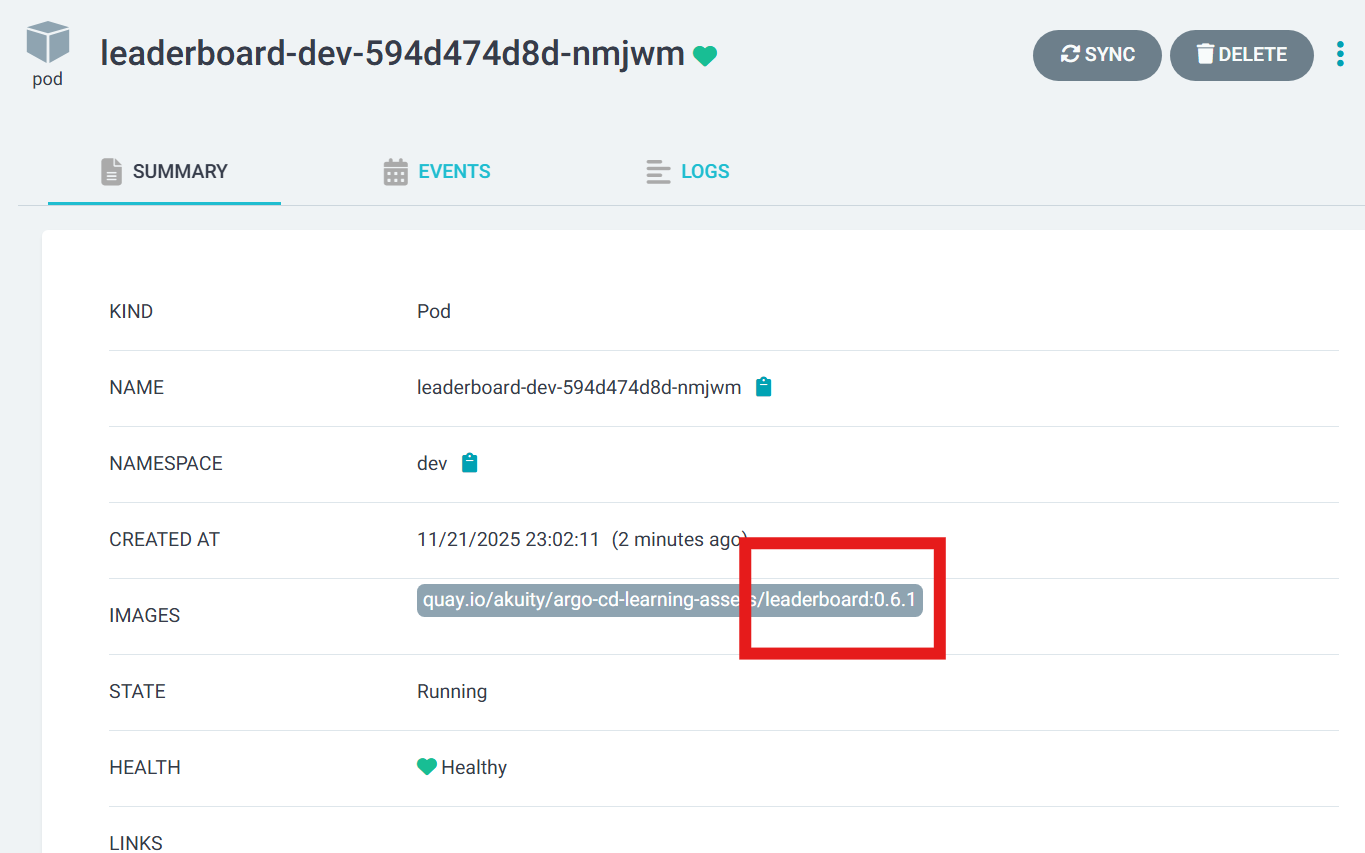
Argo CD continues the rollout using the updated image tag.
Verification is simple—check the Pod’s SUMMARY tab for the expected image:
quay.io/akuity/.../leaderboard:0.6.1
pod_image_change_after_Resume
Part 4 — Scaling with the App of Apps Pattern
Creating Applications manually through the UI is useful for beginners but doesn’t scale. In production, Applications must be declared in Git.
The App of Apps pattern solves this elegantly.
A parent Application points to the /apps directory; Argo CD then automatically creates and manages all child Applications.
Key Advantages
All apps are declared in Git
Adding new applications is as simple as committing a YAML file
Autosync ensures hands-free provisioning
Team onboarding becomes frictionless
Once auto-sync is enabled for the parent app, the entire environment becomes self-managing.
Part 5 — Production Troubleshooting: ImagePullBackOff
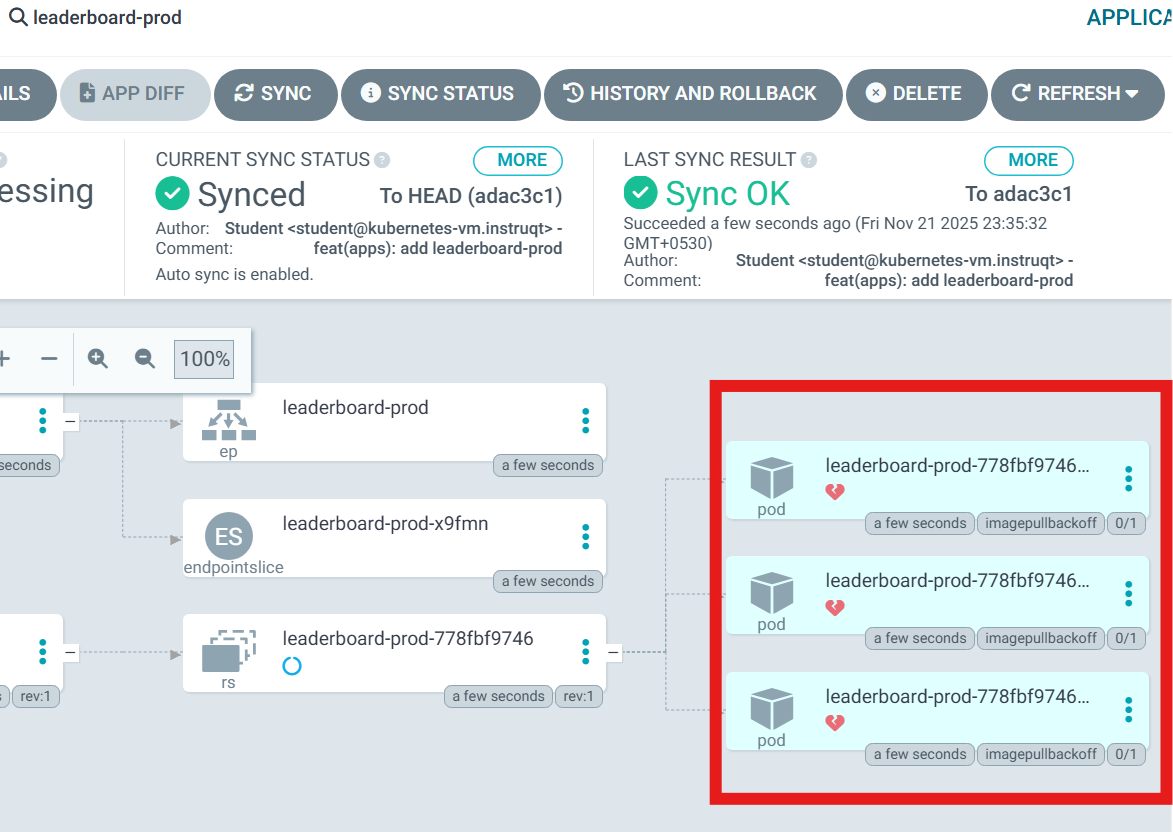
Production failures are inevitable. One common case:
An image tag is incorrectly specified. For example:
Argo CD shows Pods stuck in ImagePullBackOff.
A temporary fix may require editing the live manifest:
Open the Deployment
Switch to LIVE MANIFEST
Remove the
vprefixSave
  v0.6.1  ❌   (invalid because of the ‘v’ prefix)
  0.6.1   ✔️   (correct)
The cluster recovers immediately.
But Git still contains the wrong value, so Argo CD will continue to detect drift.
Permanent Fix
Update values-prod.yaml:
image:
  tag: "0.6.1"
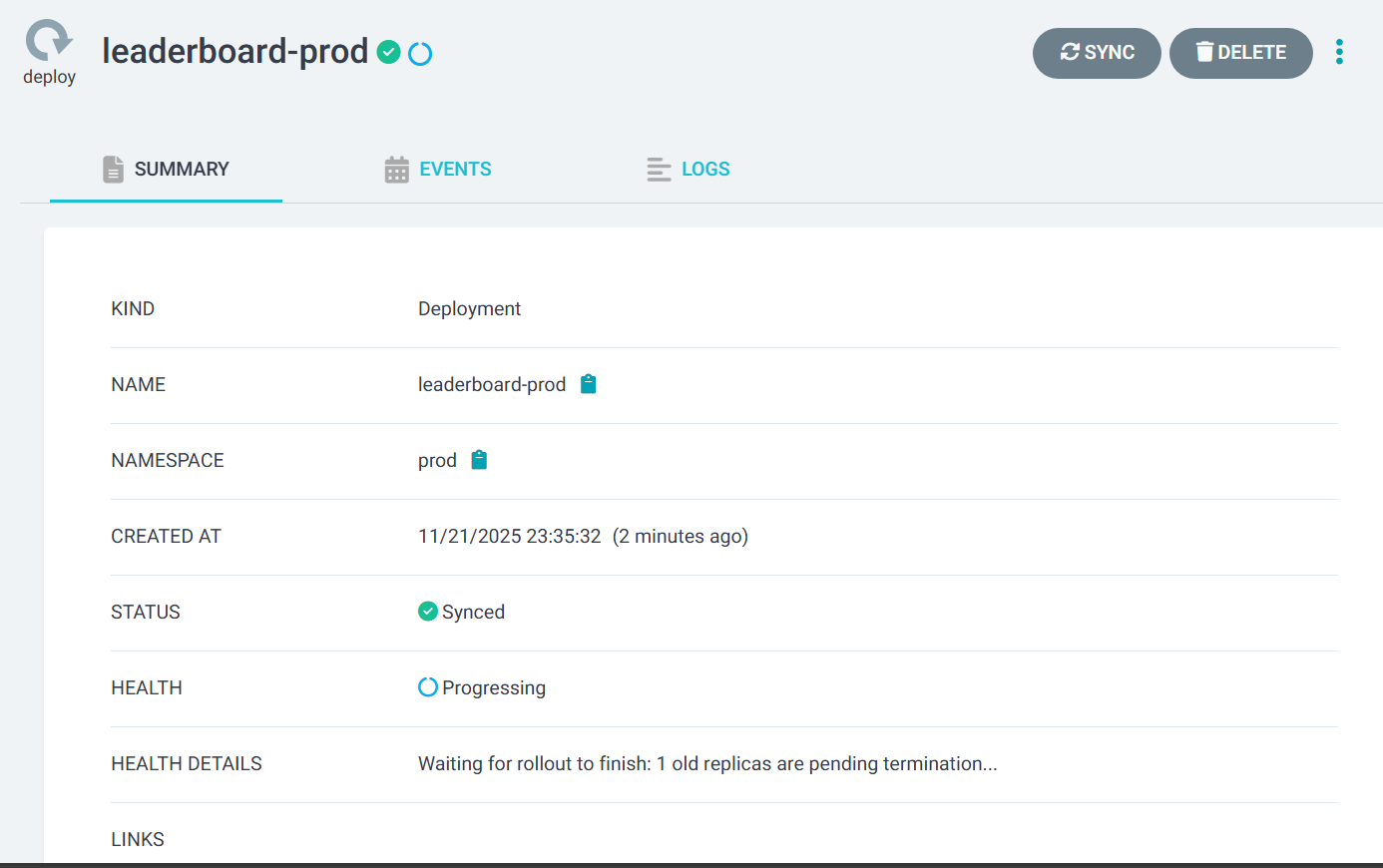
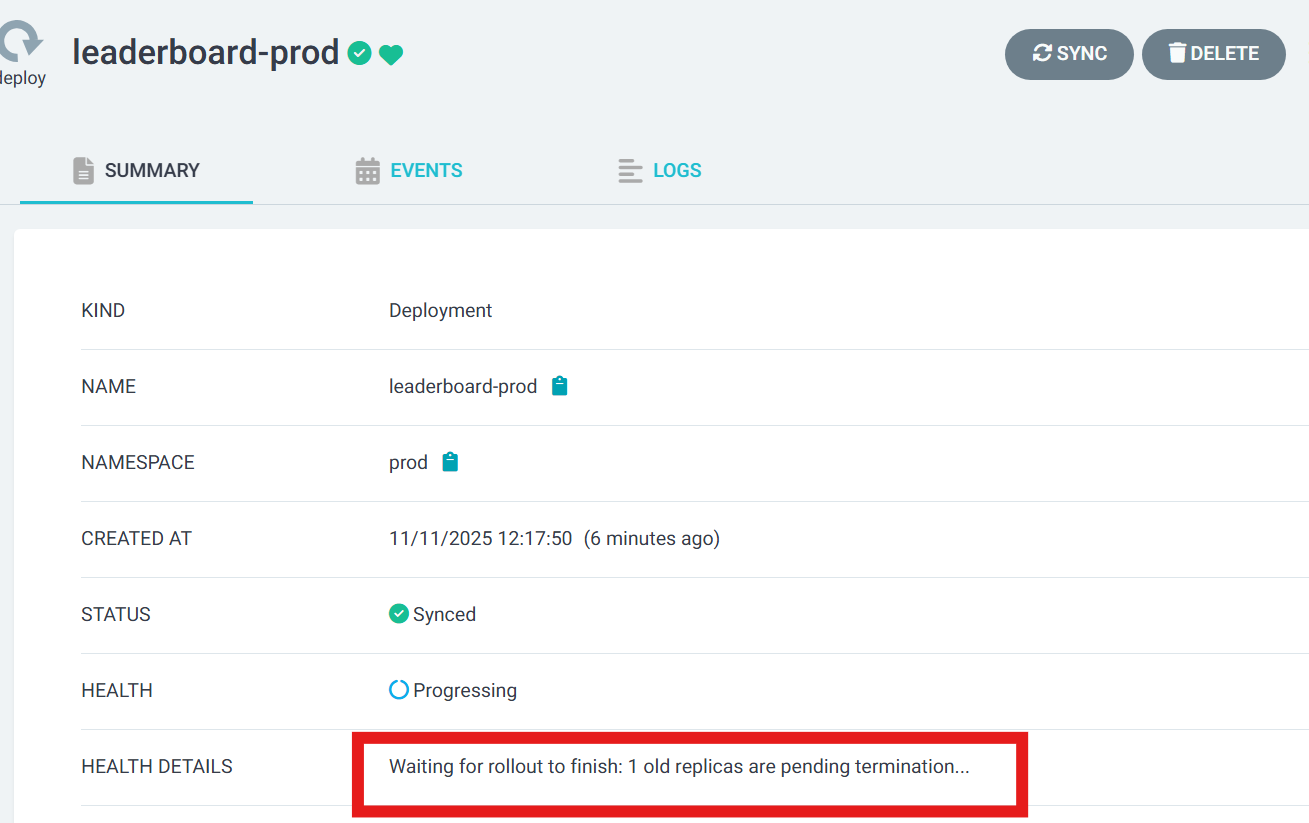
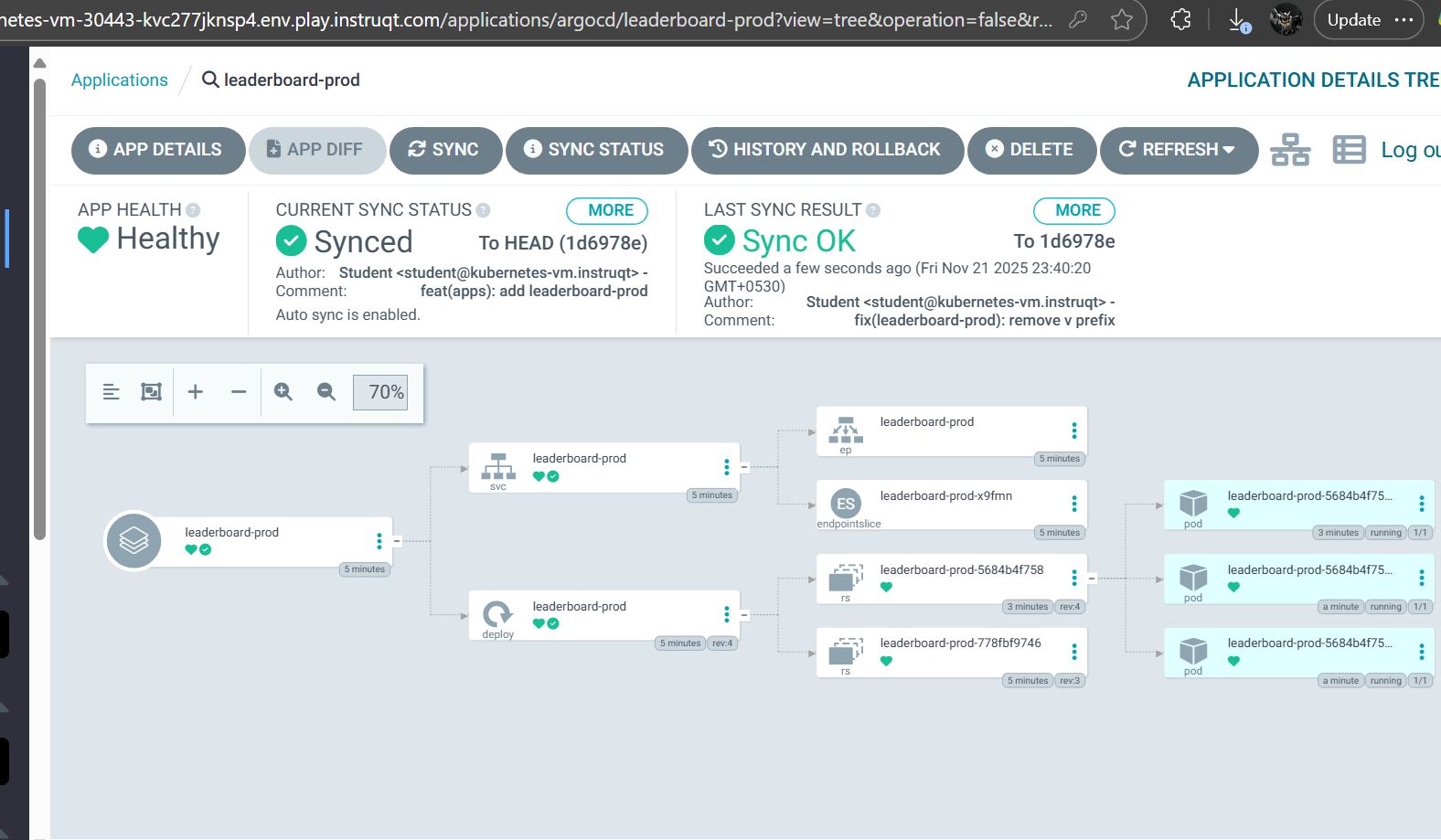
production back up and running
Commit → push → Argo CD syncs → drift resolved.
Key Takeaways
1. 🧭 Git is the Source of Truth
All changes must flow through Git — not kubectl.
2. 🛠️ Helm Simplifies Multi-Environment Delivery
Values files keep overrides clean, declarative, and predictable.
3. 🔍 Argo CD Detects Drift Relentlessly
No discrepancy escapes its sync engine.
4. 🗂️ The App-of-Apps Pattern Scales Beautifully
Large fleets of applications become easy to manage.
5. ⚡ Hotfixes Are Temporary
Every manual patch must be followed by the corresponding Git update.
Best Practices Summary
Commit every change to Git—no exceptions
Use environment-specific Helm values
Enable auto-sync for stable environments
Follow up hotfixes with commits
Organize manifests cleanly
Keep Applications declarative
Conclusion
This guide demonstrates a complete, real-world GitOps workflow for managing multi-environment Kubernetes applications with Argo CD and Helm. From initial deployment to drift detection, from suspended rollouts to production fire-fighting, every step reinforces one truth:
GitOps isn’t just a methodology—it’s a discipline.

